Personal finance app
Manage Your Personal Finances with Budgetku
Get into the habit of tracking your money, with cash, bank, e-wallet, and credit-card records in one place instead of scattered around.
Start using BudgetkuPlans: Free Rp 0 forever · Pro Rp 59,000/month · Business Rp 159,000/month · Compare plans
Make Personal Finance Easier to Manage
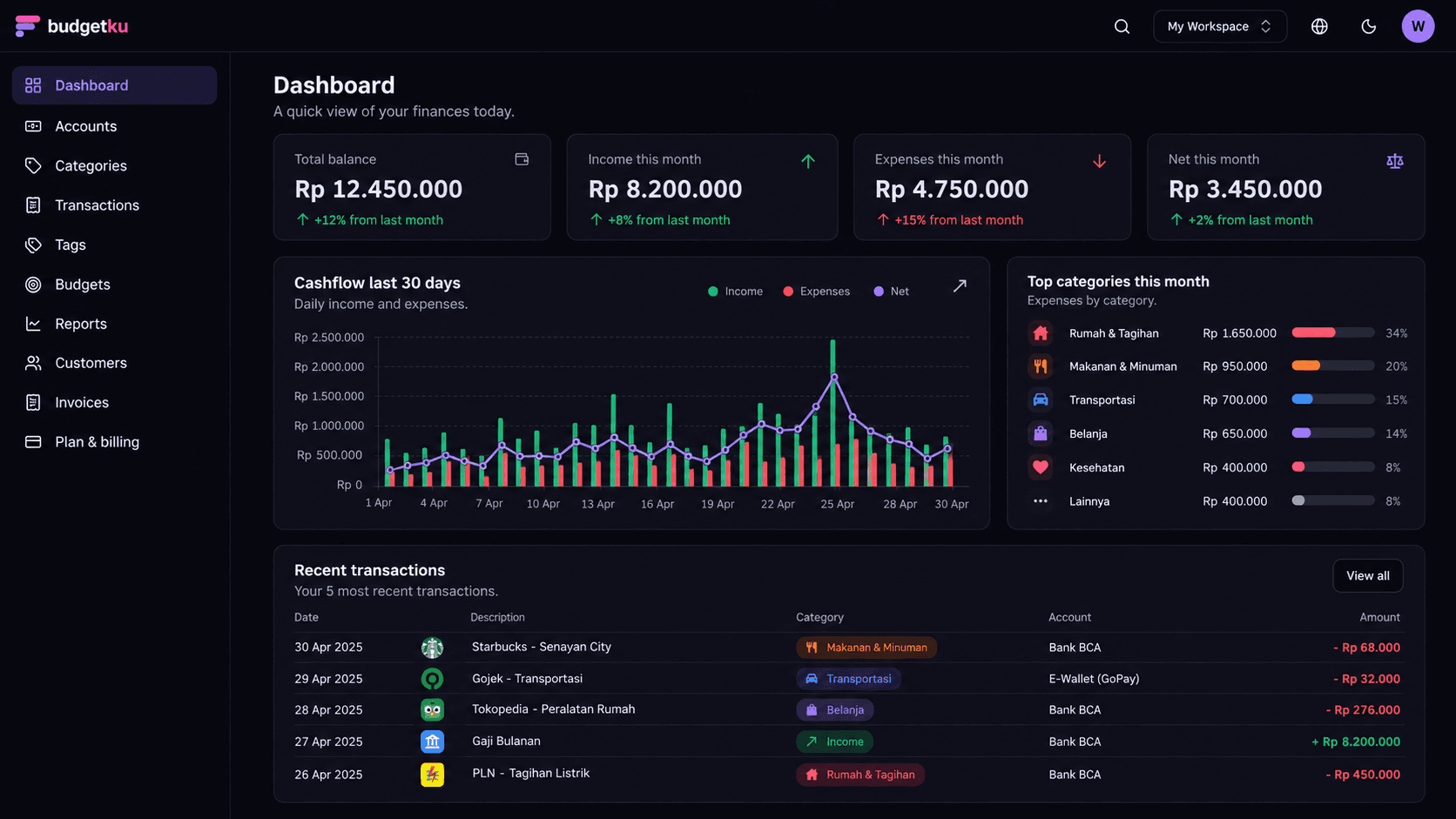
Budgetku works for anyone who wants to know where their money goes each month. Start by adding the accounts you use every day, such as your wallet, salary account, and e-wallet, then record income and expenses as they happen. Your total balance shows on the dashboard, each account's balance is on the Accounts page, and topping up an e-wallet from your bank is recorded as a transfer on both accounts.
Keep Everyday Expense Records
Use categories such as food, transport, bills, or groceries to group your spending. Each transaction can carry a date, a note, and tags, and you can attach a photo of the receipt. At the end of the week, your transaction history and category summary show which areas take up most of your money.
Set Monthly Budgets Around Your Priorities
Set a budget for the expense categories you want to limit, for example Rp 1,500,000 a month for food. Each expense recorded in that category reduces what is left, and Budgetku shows how much you have spent and what remains, or how far over you are. Budgets are set per month, so you can adjust them as your priorities change.
Personal finance recording features
- Cash, bank account, e-wallet, and credit-card views in one place.
- Income and expense categories with monthly budgets.
- Cash flow reporting for money in and out.
- Receipt photos or PDFs that can be attached to a transaction.
- Tags and filters to find specific transactions.
Why use a personal expense tracker
- Consistent records help you review spending from data instead of estimates.
- Per-category budgets provide context before a planned limit is exceeded.
- You can download account data whenever you need it, keeping your records in your control.
Questions about personal finance tracking
What does the Free plan include for personal use?
The Free plan has no limit on accounts or transactions and includes categories, monthly budgets, and cash flow and profit and loss reports. It doesn't include CSV export, Google Sheets sync, team members, or more than one workspace; those start on the Pro plan.
How do monthly budgets work?
Each budget covers one expense category for one month, in a single currency. Budgetku adds up the expenses in that currency you record in the category during the month and shows the amount spent, the percentage used, and what remains or how far over you are. Deleting a budget doesn't delete any transactions.
Can I record transactions in more than one currency?
Yes. Indonesian rupiah (IDR) is the default, and accounts can use other currencies. Reports and budgets are kept separate per currency, so amounts in different currencies are never added together.
Can I keep personal and business money separate?
Yes, with separate workspaces. The Free plan includes 1 workspace; to create more than one, at least one of your workspaces needs a Pro or Business plan. Each workspace has its own accounts, categories, transactions, and plan.
Ready to get your finances in order?
Sign up free, no credit card needed. The Free plan covers unlimited accounts and transactions, monthly budgets, and cash flow reports. Upgrade only when you need more.