Budgetku finance app
An Easier Finance App for Managing Your Money
Budgetku helps you record everyday transactions and see your financial position more clearly, whether the money is personal or for a business. It runs in the browser, so you can open it on a laptop or on your phone.
Start using BudgetkuPlans: Free Rp 0 forever · Pro Rp 59,000/month · Business Rp 159,000/month · Compare plans
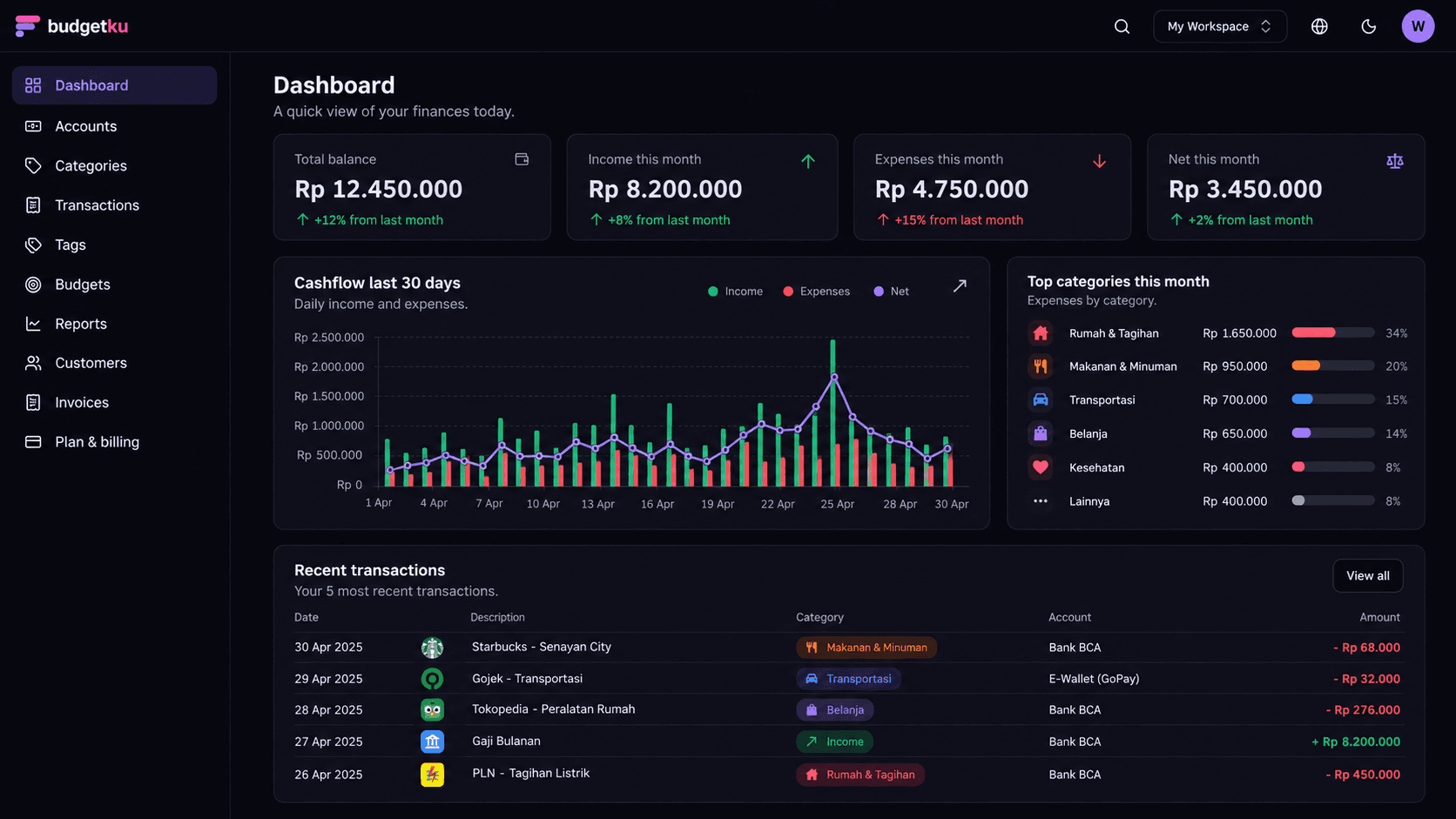
Track Income and Expenses
Budgetku suits anyone who is tired of keeping money records in several places. Add an account for each place your money sits, such as cash, a bank account, an e-wallet, or a credit card, then record each income and expense with a category, date, and note. When you move money from your bank to an e-wallet, record it as a transfer: both balances update, so the history stays clear.
Plan Monthly Budgets
Create income and expense categories, then set a monthly budget for the expense categories you want to keep in check. Actual spending is calculated automatically from the transactions you record in the same month, so you can see what is left, or how far over you are, without rebuilding a spreadsheet each month.
Monitor Cash Flow and Financial Reports
The cash flow report groups income and expenses by day, week, or month to match the date range you pick. There is also a profit and loss report for any period and a breakdown of spending by category. If you use more than one currency, reports stay separate per currency so the numbers never mix. CSV export for reports is available from the Pro plan.
Features available in Budgetku
- Transaction records for cash, bank accounts, e-wallets, and credit cards.
- Categories and monthly budgets for spending oversight.
- Cash flow, profit and loss, and category reports.
- Receipt photos or PDFs attached to transactions.
- Invoices, customers, and partial payments for businesses, with quotas by plan.
Benefits for everyday money management
- One dashboard makes it easier to make decisions from organised records.
- Separate workspaces keep personal and business records from being mixed together. The Free plan includes 1 workspace; creating more than one requires the Pro or Business plan.
- The Free plan lets you get into the habit of tracking your money, with no credit card needed.
Questions about the Budgetku finance app
Can I use Budgetku for free?
Yes. The Free plan has no time limit and doesn't need a credit card. It includes unlimited accounts and transactions, categories, monthly budgets, cash flow and profit and loss reports, plus 1 invoice and 1 customer. The Pro plan (Rp 59,000 per month) and Business plan (Rp 159,000 per month) add more invoices, team members, CSV export, and other features.
Does Budgetku connect to my bank account or e-wallet automatically?
No. Budgetku doesn't connect to banks or e-wallets; you record transactions yourself, and Budgetku organises them into balances, budgets, and reports. Budgetku also never holds or moves your money.
Can I use Budgetku on my phone?
Yes. Budgetku is a responsive web app, so it works well in the browser on your phone as well as on a laptop. The Budgetku Android app is being prepared for Google Play and isn't publicly available to download yet. There is no iOS app yet.
How do I download my data?
Every plan, including Free, can download a full copy of your account data from the profile menu at the top right → Account. CSV export for transactions and reports is available from the Pro plan, and Pro can also sync your data to Google Sheets automatically.
Ready to get your finances in order?
Sign up free, no credit card needed. The Free plan covers unlimited accounts and transactions, monthly budgets, and cash flow reports. Upgrade only when you need more.